

Description
Use the Prototype Assessment Template to design and assess your prototype. The template is divided into six sections in two different groups.
The first group is for information you will need before you test your prototype: Prototype Details, What We Want to Know, How We Know it’s Working, and Resources We Need. The second group is to assess the response your prototype received after testing. These are the Next Steps, and What We Learned sections.

Transform the data collected in your Customer Voice Canvas into actionable workflows.

View your product roadmap in three timelines: the six-year view, the six-month view, and the six-week view.

Categorize and list what you know about your customers and potential users and create a detailed examination that will allow you to turn data and observations into actionable insights.

Use the Customer Impact vs Customer Expectations Template to refine your product based on the impact individual features will have on your customer experience.
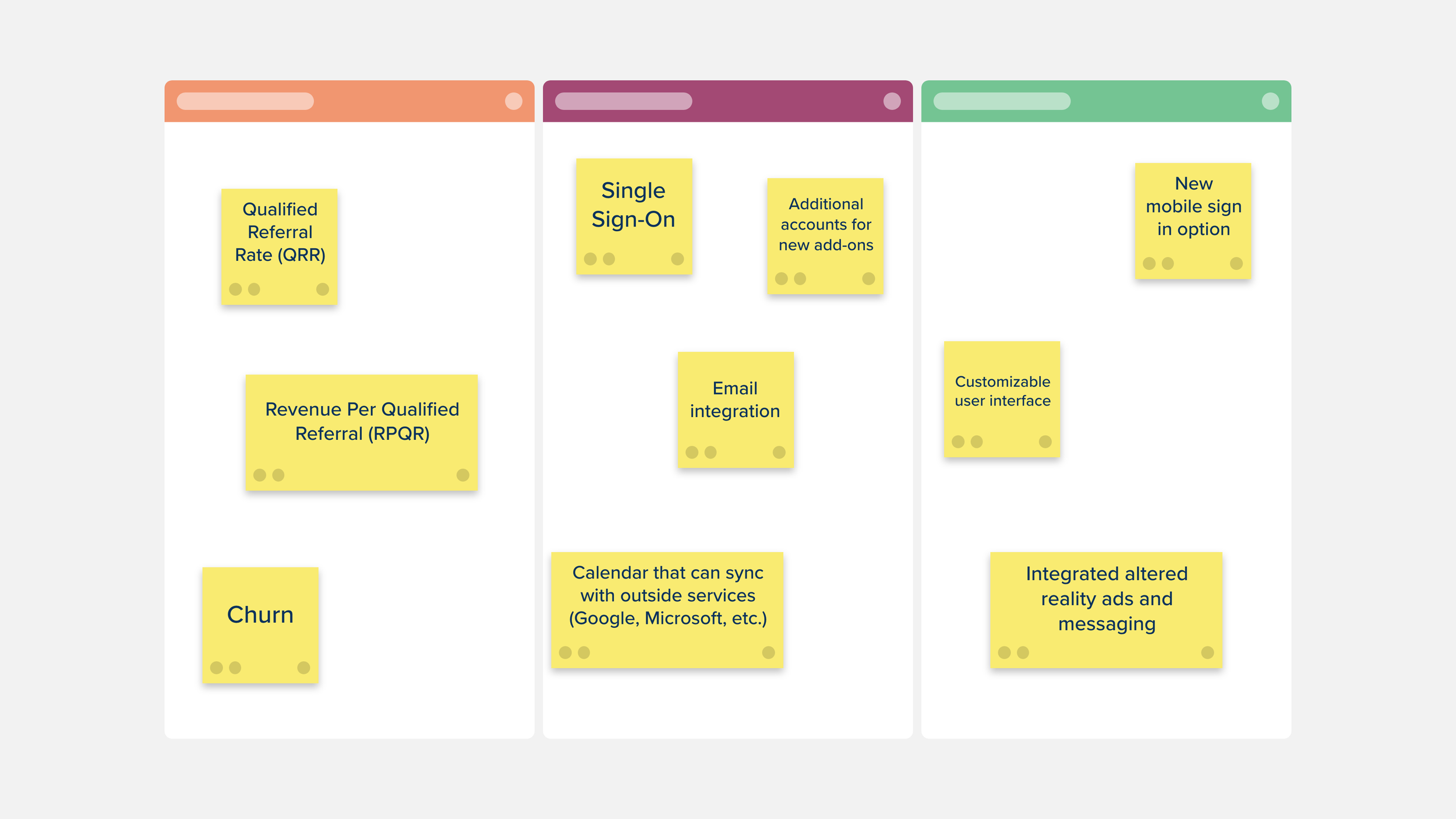
Use the Three Feature Buckets Template to organize your ideas on a future feature release.

Use the Stakeholder Analysis Matrix Template to visualize all your stakeholders and determine their expectations. Ensuring that all those affected will be considered in the development of your project.

The Problem Statement Template will let your design team craft an actionable need from your users that will address a current gap in your product or service.

The Empathy Interview Template is a great way to gain insight into what is important to users, and how they feel about your product or service.

The Stakeholder Map Template is a visual representation of all the people who can influence your project and how they are connected.
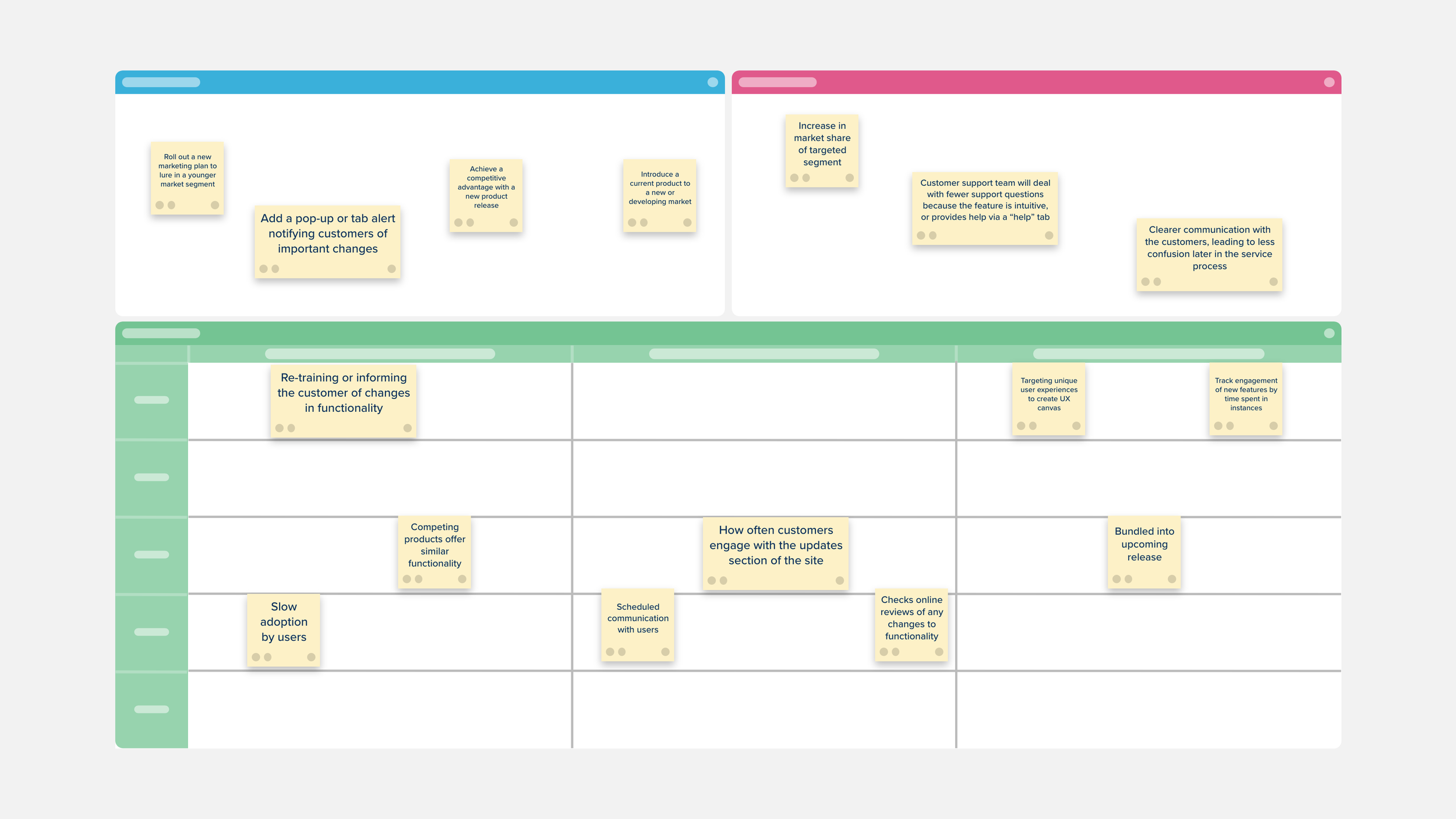
The Customer Voice Canvas is a space to challenge the conventional knowledge of customer engagement and take a more strategic and targeted approach to customer feedback.

Compile and arrange user stories to create a more holistic view of how they fit into the overall user experience. Then track how you interact with your users through a set of revisions.

Separate your findings into primary and secondary sources.

This template is used to provide clarity when making changes to your product, and will allow you to trace your feature’s development from conception to outcome to make sure it is the right move for your company.

The Project Kickoff Template is used to concisely create clear working agreements, a shared understanding of project success, and to help decide on your next steps.

Popular for setting goals in organizations of any size. The Objectives and Key Results (OKR) Template connects your larger personal or professional objectives to specific, measurable, concrete results.

Use the Content Assessment Matrix to evaluate your current marketing content and messaging to see if it aligns with your future plans to revamp.

Use the Design Project Management Template to stay on top of your workflow by prioritizing and tracking your design work and keeping your team focused on the progress and timeline of their design tasks.

The Customer Perceptual Map Template creates a visual representation of how your customers perceive your company and your competitors.

Use the Service Blueprint Template to view each step in your service process from a different perspective within your company.

The Brand Identity Template is the best way to review your branding and plan for an update or overhaul.

The Product Requirement Document Planning Template helps your team pull together and organize all of the content that you will need to include in your final Product Requirement Document.

The 4L Retrospective Template will help your team review their work and focus on gathering information to improve future processes.

UX User Interviews help design and product teams discover what drives your users toward your product and find better ways to serve them.

Visualize all of the places, or touchpoints, that your customer comes in contact with your company, product, or service both online and off with the Customer Journey Map Template.

The Scenario Mapping Template can be used to better understand your user’s process and help identify areas that you can improve.
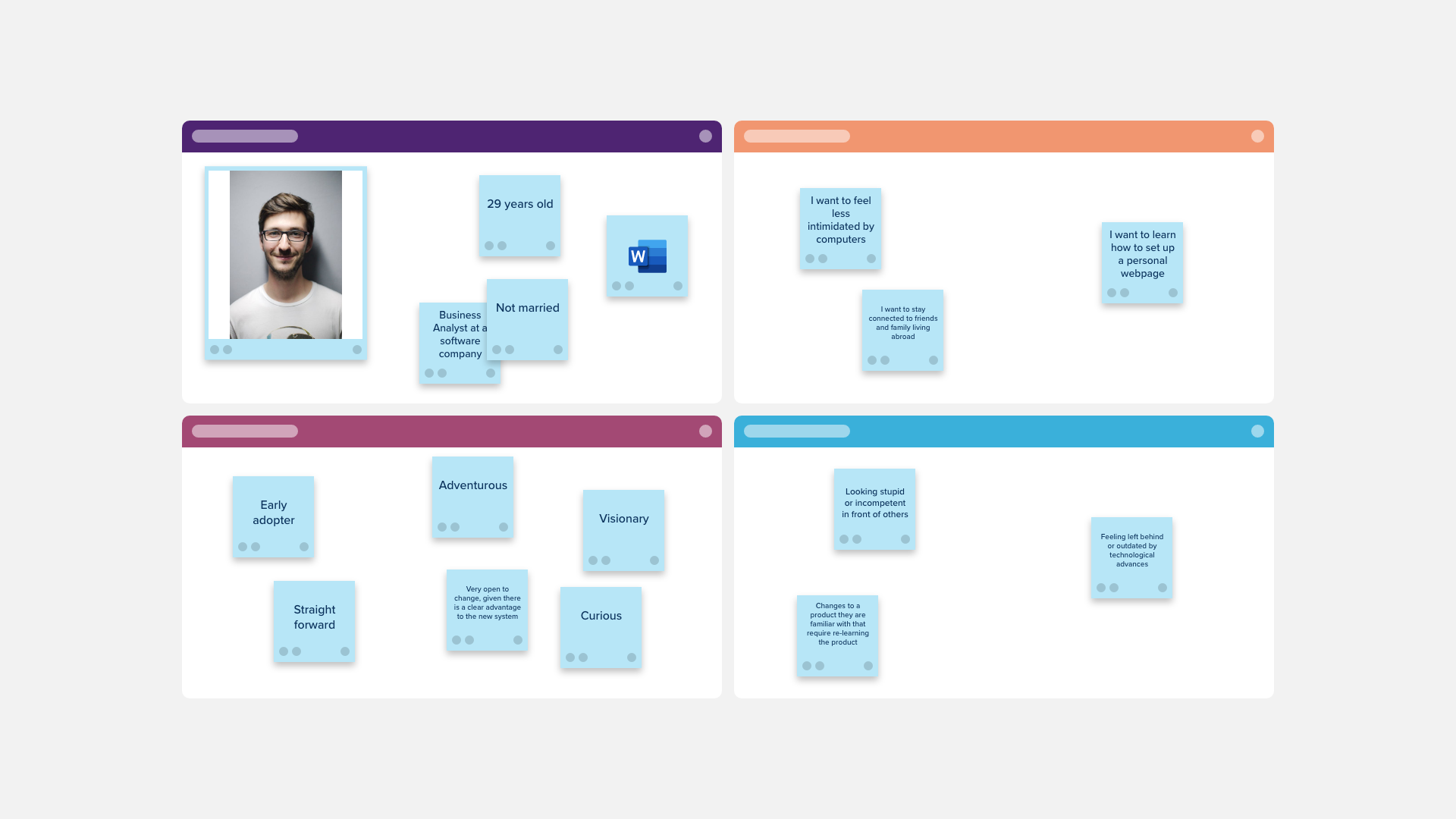
Use the User Persona Matrix to create a detailed description of your customer and learn more about who they are.

Use the User Persona Profile Template to create a detailed description of your ideal customer and learn more about who they are.

Determine which ideas are most important to your project and which to execute first.
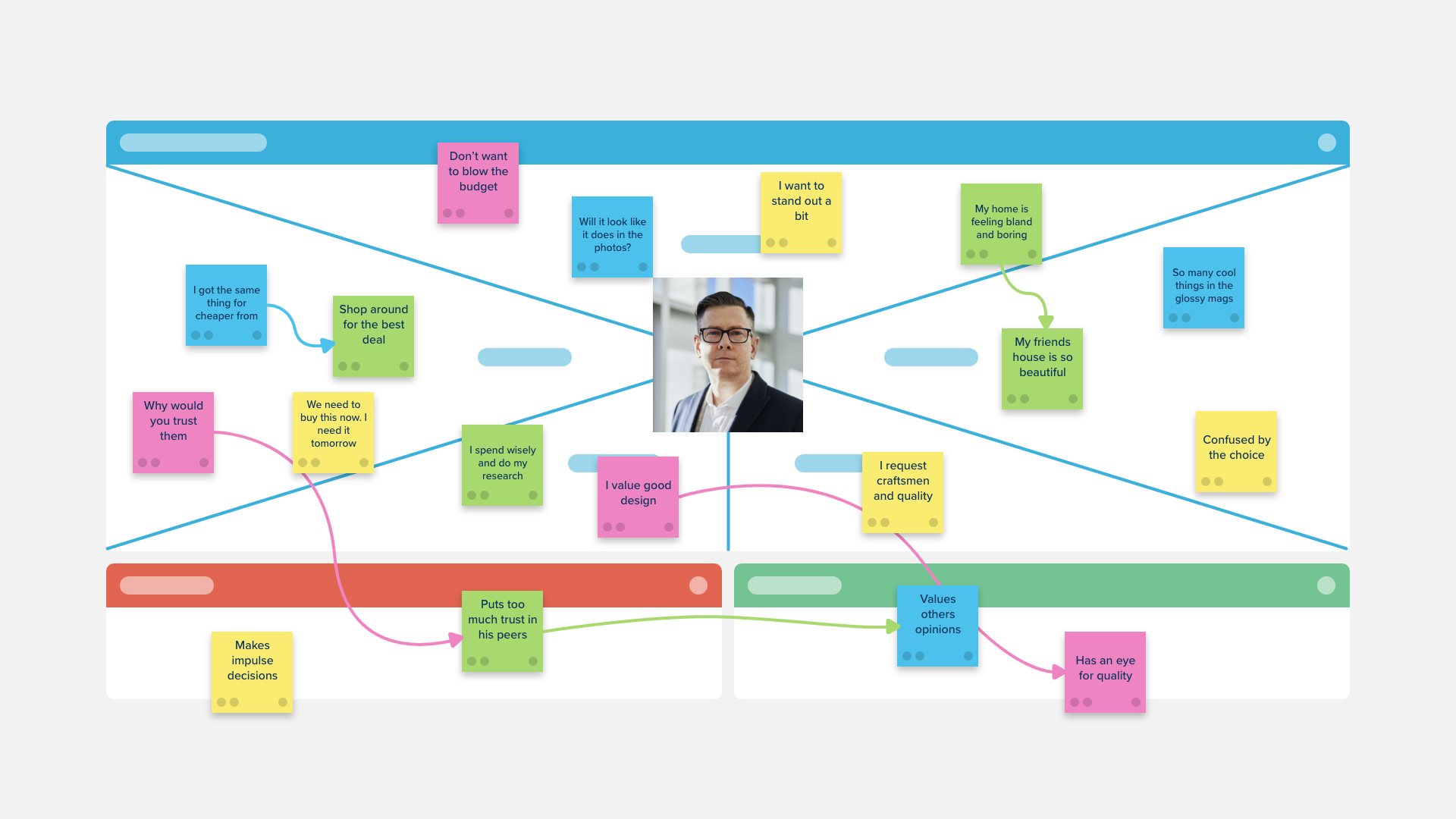
A template purpose-built for male customer and prospects segments, the Stormboard empathy map is a collaborative tool teams can use to gain a deeper insight into their customers.

An empathy map is a collaborative tool teams can use to gain a deeper insight into their customers. Purpose-built for female customer and prospects segments.